
Define your options
Add alternatives, criteria and your own value scales. Mark what should be maximized or minimized.
 CRITERDOCK
In development · coming soon
Compare alternatives using defined criteria, make priorities explicit and review the results of several methods. Inputs and intermediate calculations remain available for inspection.
No account · No subscription · Your data stays on your Mac
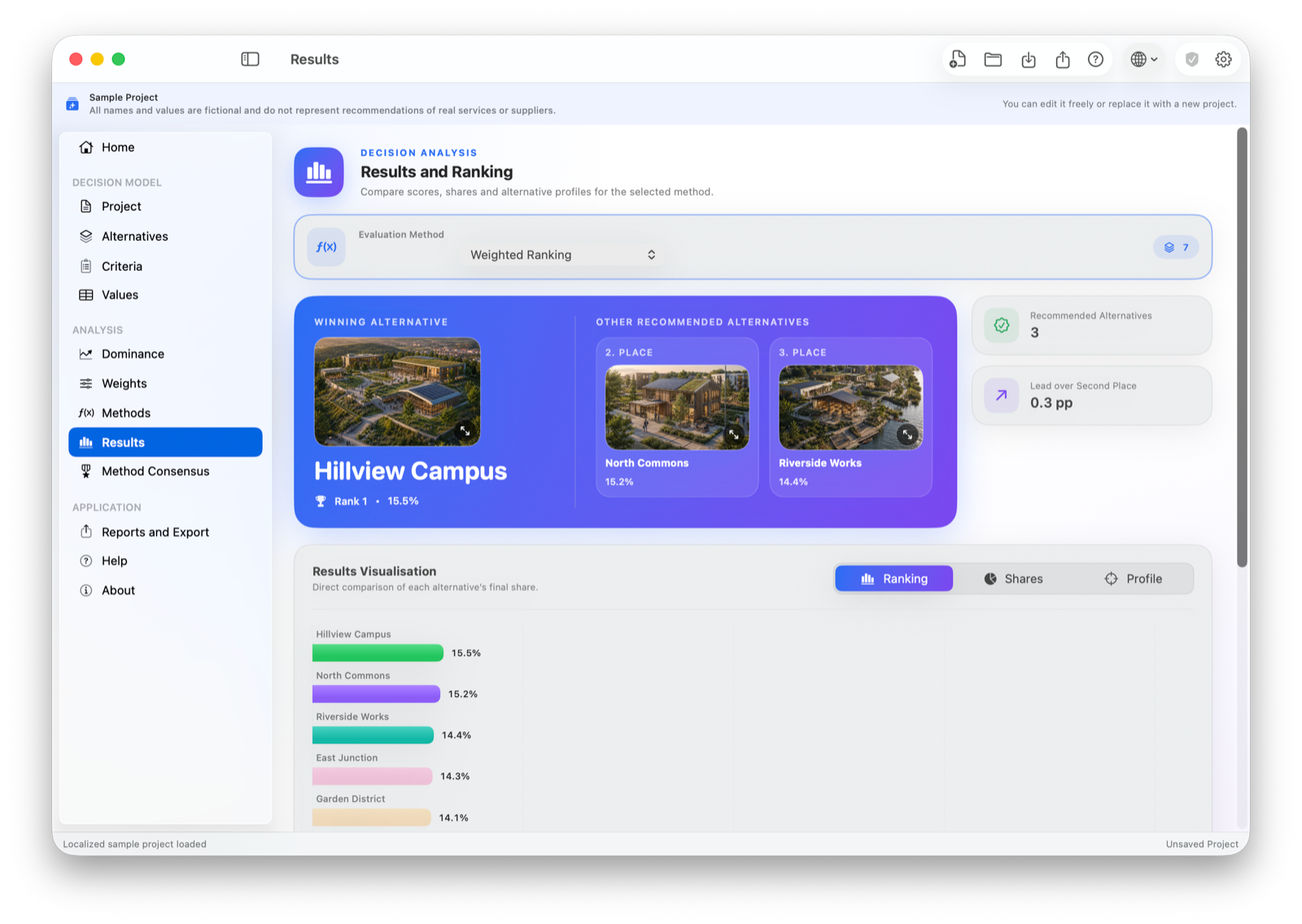
CRITERDOCK keeps inputs, preferences and calculations together so the result can be explained, checked and revisited later.
Add alternatives, criteria and your own value scales. Mark what should be maximized or minimized.
Express priorities with one of eight weighting methods—from simple scoring to pairwise comparison.
Explore rankings, charts and intermediate tables across established evaluation methods.
CRITERDOCK brings the same transparent structure to every decision—whether it becomes part of a thesis, a management recommendation or a private choice.
ACADEMIC WORK
Document criteria, weights, chosen methods and intermediate calculations for seminar papers, theses and applied research.
ORGANISATIONS
Compare suppliers, investments, projects or strategic alternatives and present the reasoning behind the recommendation.
INDIVIDUALS
Structure important personal choices, see the trade-offs and avoid relying on a single impression or an unspoken preference.
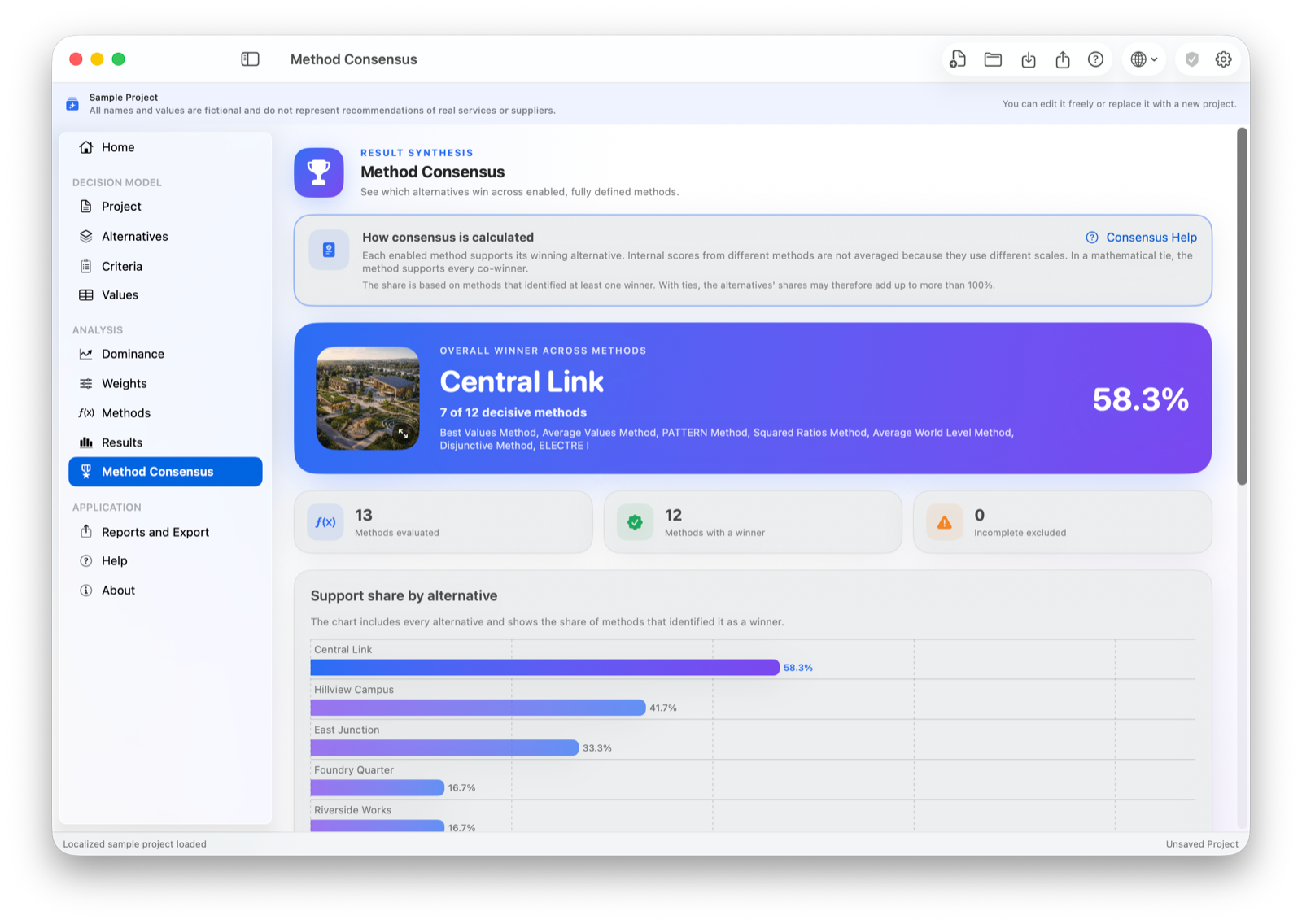
Different evaluation methods can produce different rankings. CRITERDOCK presents their results side by side and shows where they agree.
Capture priorities at the right level of detail.
Examine outcomes with established MCDA approaches.
Keep the source data, priorities, method and result together. CRITERDOCK turns the current project into clear material for further analysis, review or presentation.
Ranking, scores, shares and charts in a printable report.
Export results to a .pptx presentation that opens in Microsoft PowerPoint and Apple Keynote.
Inputs, weights and detailed calculations in one structured file.
Export criterion values and results for your own workflow.
Open legacy .fco project files and save them in the current CRITERDOCK format.
Projects are stored locally on your Mac. CRITERDOCK does not require an account or upload your decision data to a cloud service.
Create and evaluate one complete project for free. A one-time purchase enables multiple project files, exports, PDF reports, printing and sharing.
Everything you need to evaluate one decision.
For decisions you need to save, share and present.
Planned for release in 175 countries and regions. In other countries, the price is shown in local currency and may vary with taxes, exchange rates and Apple’s current pricing. The App Store always shows the final price before purchase.
No. You can keep one project locally and use every weighting and evaluation method, chart and calculation without a time limit.
No. It is a single purchase. There are no recurring subscription fees.
CRITERDOCK supports professional judgment by making assumptions and outcomes transparent. The final decision remains yours.
CRITERDOCK is a native macOS application. Exact compatibility information will be shown on its App Store product page.
CRITERDOCK for macOS is in development. The App Store link will appear here when the application is released.
Planned: free mode · One-time purchase · No subscription